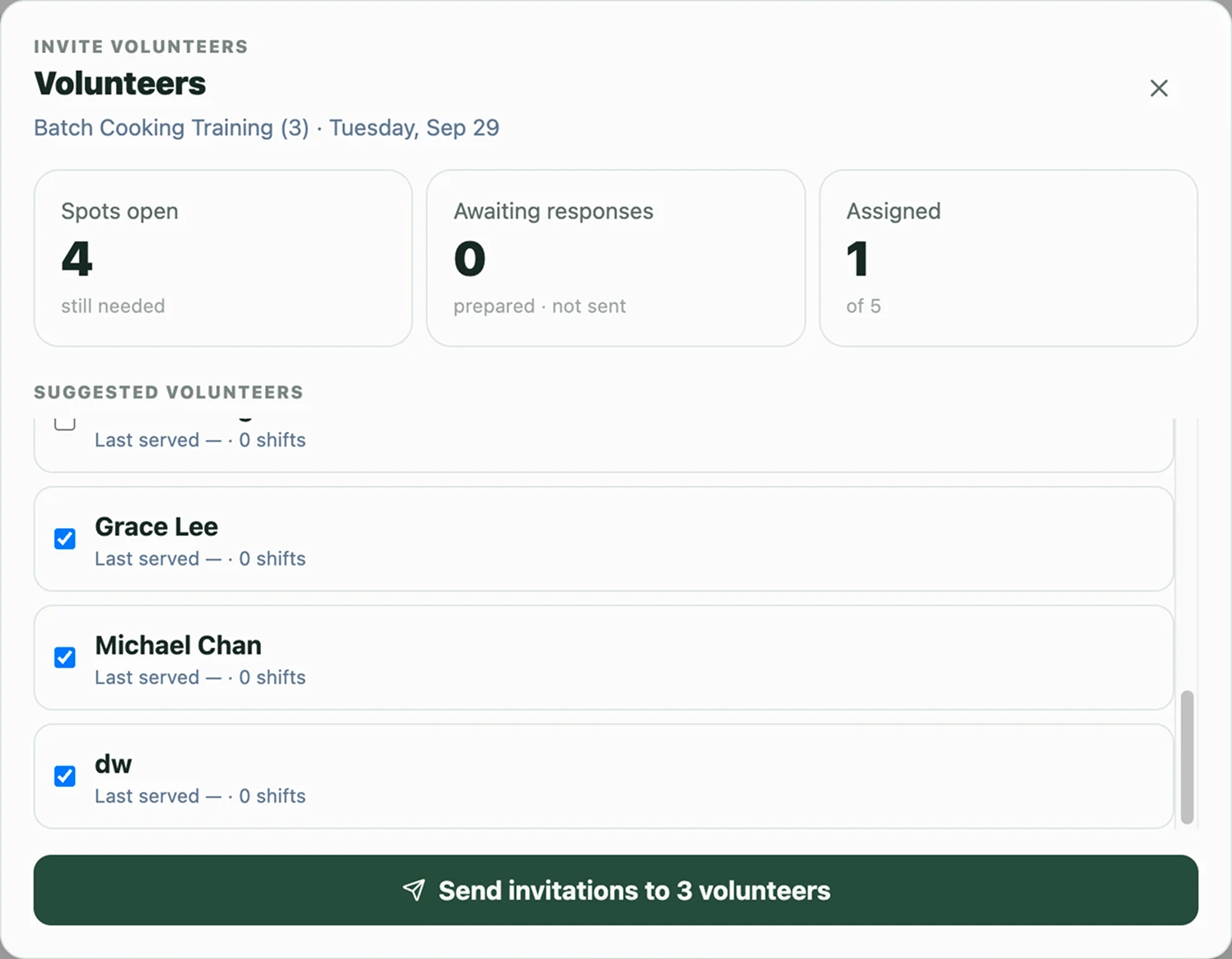
More ways to help meant more to coordinate.
When First Baptist Church expanded its facilities, Street Ministries gained room to do more: prepare and serve more community meals, support laundry and shelter services, and welcome more volunteers into the work.
That growth brought more recurring shifts, more people to coordinate, and more details that could change from week to week. A small, familiar volunteer rhythm had become a broader operation with many ways to take part.
The challenge was not finding people who cared. It was giving them a clear, low-friction way to see where help was needed, respond, and stay informed—without putting more coordination work on the ministry team.
To understand where the pressure was building, we looked at how those schedules, replies, and conversations were actually being held together.
The coordinator had become the operating system.
The bottleneck was never a lack of volunteer enthusiasm or staff dedication. Rather, the rapid addition of new programs turned the outreach pastor into a human routing switch between separate worlds.
-
Fragmented coordination
Meal prep, dining, laundry and shelter schedules lived across separate files, notes and conversations.
-
Scattered responses
Confirmations arrived by text, email, phone and quick conversations at church.
-
The memory burden
The pastor still had to connect those pieces — who had replied, which roles were open, what had changed and who needed a follow-up.
Larger church-management tools existed, but another account, app and workflow would have added friction for volunteers with very different levels of technical comfort.
Adapt the system to the people, not the other way around.
The diagnosis revealed a structural problem: too much coordination depended on one person remembering and connecting the details.
Instead of asking everyone to adopt another platform, we planned a shared coordination layer that could carry that work while preserving the ways people were already comfortable communicating.
From a human operating system to a shared coordination layer.
The pastor had been connecting schedules, replies and follow-ups himself. We designed the new system to bring those flows together — while still leaving room for phone calls and conversations in person.
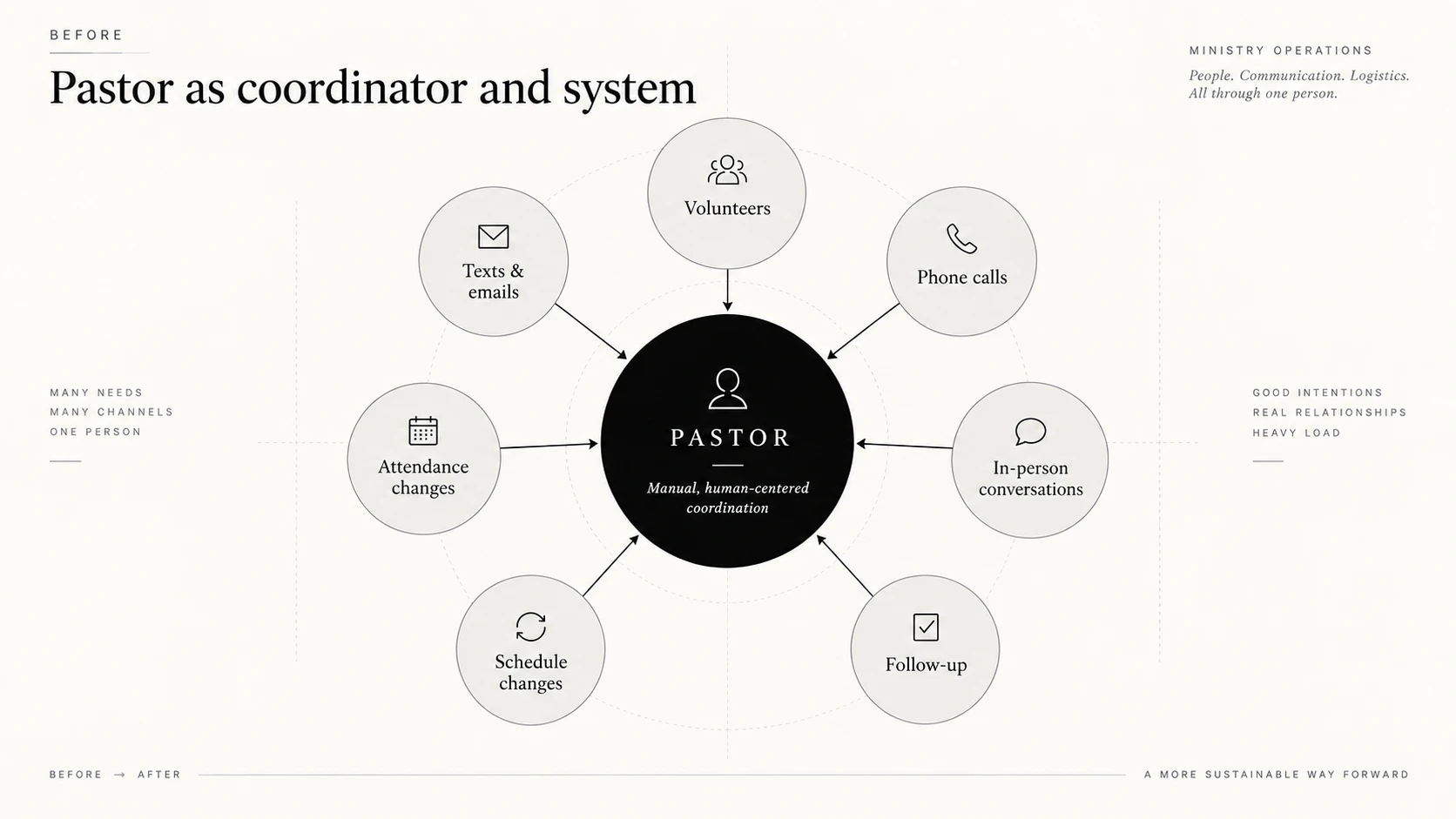
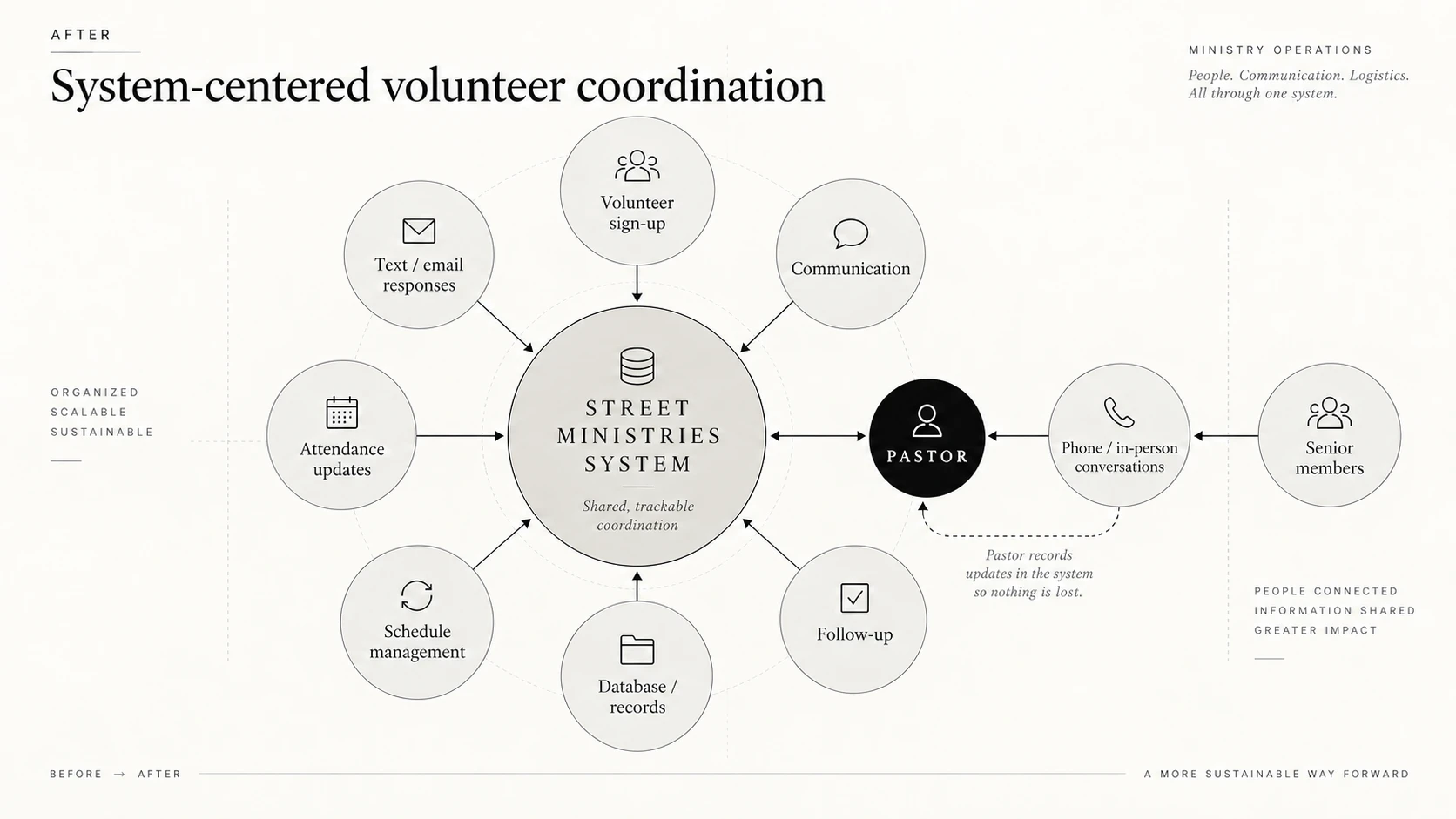
Comparison at 50 percent. Drag right to reveal more of the after state.
Keep participation easy
Volunteers shouldn’t need another app, password or training session just to help.
Put coordination in one place
Schedules, responses, attendance and follow-up should no longer depend on separate files or one person’s memory.
Keep human communication human
Email, phone calls and conversations in person can still happen. The important part is making sure their outcome makes it back into the system.
A purpose-built coordination engine.
One live matrix for prep, dining, laundry, and shelter support—built around how this community already communicates, without login friction or an oversized platform.
The multi-shift coordinator matrix
The admin dashboard gives the pastor one view of the entire outreach week. Recurring shifts can be reused or adjusted quickly, while open roles, responses and follow-up needs stay visible in one place.
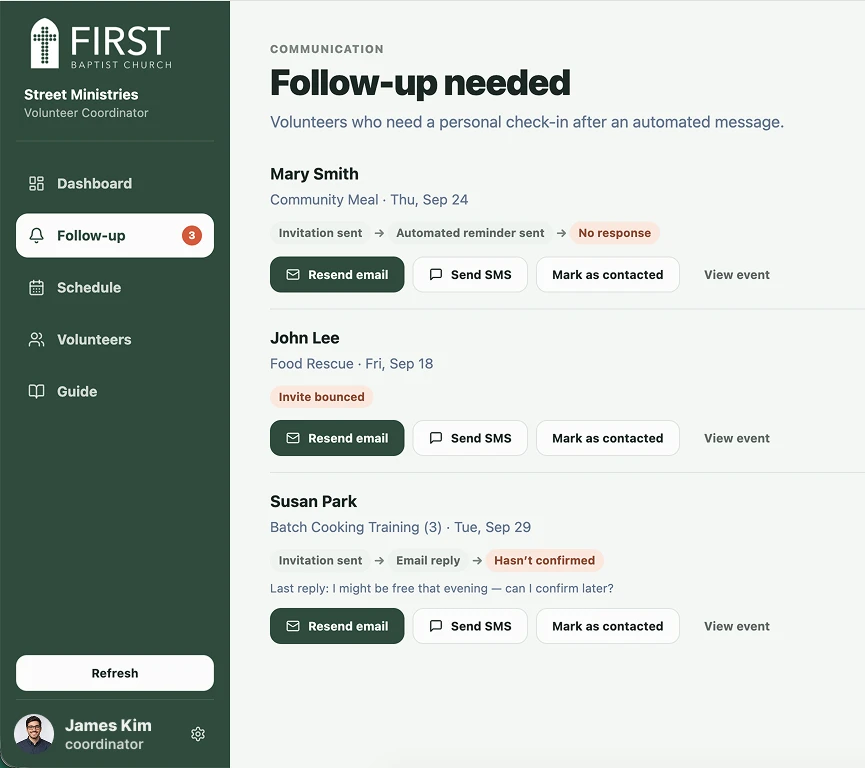
A simpler volunteer experience
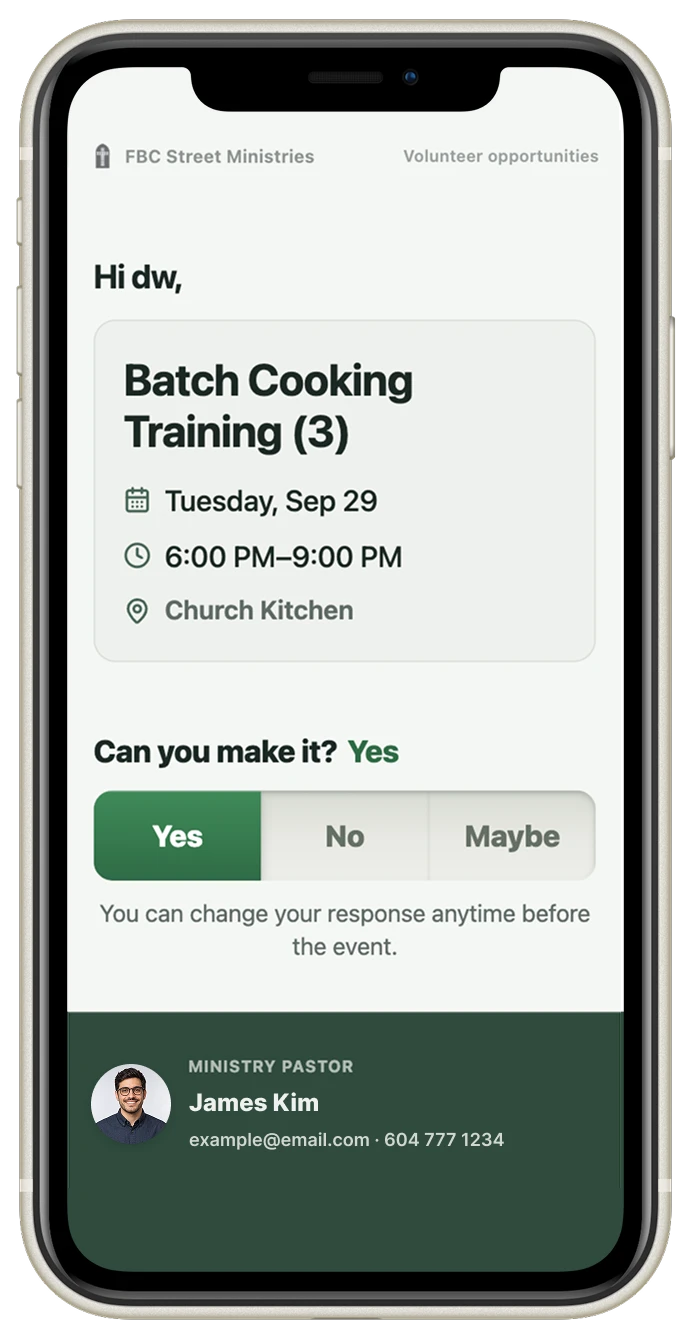
Volunteers see what the shift is, when to arrive and what help is needed. They can respond directly from a secure link without creating an account or learning a new system.
Respecting human replies
Some volunteers simply reply to the invitation email. Instead of treating that as an error, the system acknowledges the message and guides them back to the one-tap response link so the roster stays accurate.
Quiet software that lets people focus on people.
Following deployment, we continue to observe how volunteers across food, hospitality, and laundry roles interact with the platform.